


Spelling Challenge PRO
4.59.00 Reviews
App Specs
- Version
- Varies with Device
- Updated On
- License
- $0.49
- Downloads
- 10,000+
- Developer
- LittleBigPlay - Word, Educational & Puzzle Games
- Categories
- Trivia
- Platform
- Android
Screenshots
 Analysis by AppCompare
I found Spelling Challenge PRO most useful as a compact English spelling practice game rather than as a complete language-learning course. Its idea is easy to understand: you work through spelling questions, notice where your instincts fail, and try again with better attention. I like that directness. There is no need to build a profile, follow a long lesson path, or commit to a large study session before getting started.
The game comes from LittleBigPlay - Word, Educational & Puzzle Games, a developer with a clear focus on word and learning titles. It sits in the trivia category, but the experience feels more educational than a typical general-knowledge quiz. The challenge is not simply remembering facts; it is recognizing the correct form of a word when similar spellings compete for your attention.
After spending time with it, my overall impression is that it works best in short, repeatable sessions. I would recommend it to someone who wants a quick way to test English spelling, especially when vocabulary practice feels too formal or repetitive. I would not treat it as a replacement for a dictionary, a writing course, or a structured program that explains grammar in depth.
How the game presents spelling practice
I like that the game keeps spelling practice focused on recognizing written forms, rather than asking me to commit to a full language course before I can begin. That makes it easier to use as a quick check-in, but the real benefit depends on what I do after an answer surprises me. The next section looks at how I turn a round into a small, useful learning routine.
Readability and navigation
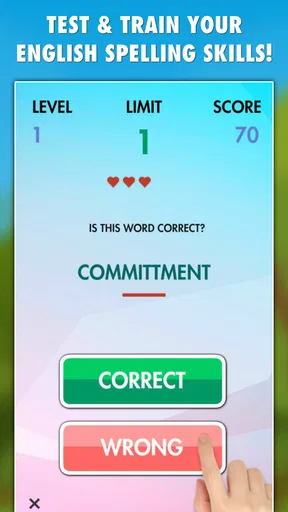
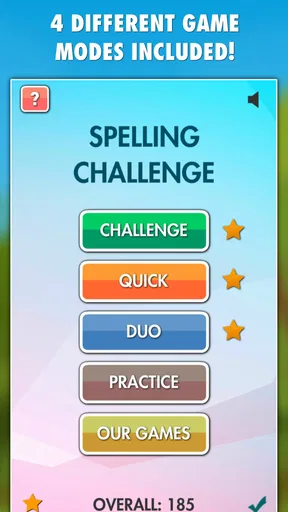
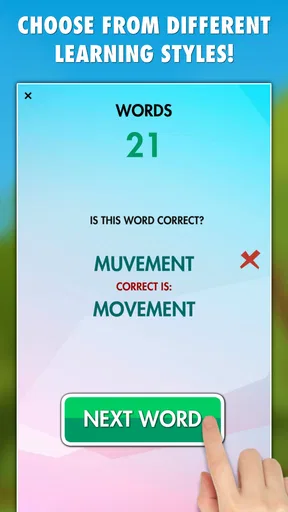
The strongest part of the design is its straightforward purpose. The store summary points to multiple game modes and a large collection of tricky words, so the appeal is variety rather than a single linear exercise. That matters because spelling practice can become dull when every round follows exactly the same rhythm. Switching modes gives me a reason to return when one style of challenge stops feeling fresh.
At the same time, a multi-mode game asks the player to understand what each option is trying to test. I found it helpful to approach the modes as different kinds of practice instead of treating them all as interchangeable. One may be better for quick recognition, while another may encourage slower thought before answering. That distinction makes the game more useful for learners who want to identify a specific weakness rather than simply chase a high score.
The wording is the main thing to watch. Spelling games depend on seeing every letter clearly, and a player can lose confidence if the interface makes a word feel cramped or visually busy. I prefer to play when I am not rushing, because the value comes from examining the word rather than tapping the first answer that looks familiar. Anyone who relies on enlarged text or a particular display setting should try the game on their own device before deciding whether longer sessions are comfortable.
Worth Reading Before You Choose

Flipboard Shows What News Apps Must Do Beyond the Feed

Switching to Android Auto Means Rethinking Your Driving Routine

Google Calendar Makes a Crowded Week Easier to Manage

Ludo King Makes the Most of the Minutes Between Plans

Baby Panda World Brings Quick Play to Modern Phones, but Its Game Library Feels Busy

ESPN’s Live Game View Makes Following Close Games Easier
Navigation should feel manageable for people who prefer a simple flow: choose a mode, answer, and continue. That simplicity is a genuine advantage for younger players and for adults who do not enjoy complicated game menus. The Everyone content rating also makes it easier to consider for shared household use, although suitability still depends on the individual learner’s reading level and patience.
The game’s age rating should not be confused with beginner-level English. A child may be allowed to use it while still finding some words difficult, and an adult learner may encounter vocabulary that is unfamiliar even when the interface itself is easy to follow. I would introduce it gradually, watching whether the player understands the task or is merely guessing.
Making the modes work for different abilities
Different players need different amounts of time to process a word. Someone with strong visual recognition may answer quickly, while a learner with dyslexia, limited reading confidence, or attention difficulties may need to inspect each letter more deliberately. I would avoid turning speed into the only measure of success. A better personal routine is to pause after an error, say the word aloud if that helps, and write the correct spelling once before moving on.
This is one of the game’s useful but easy-to-miss possibilities: it can become a self-checking tool when I add my own reflection to each round. The app supplies the prompt and the immediate challenge, but the learning improves when I record recurring mistakes elsewhere. For example, if I repeatedly confuse two similar endings, I can keep a small list and review it before the next session. That workflow gives the game more educational value than repeated tapping alone.
Players who find visual tasks tiring may prefer brief rounds rather than extended play. I would use it for a few minutes, rest, and return later instead of treating it like a long sitting. This is especially sensible for learners who lose concentration when several similar-looking words appear close together. The game can support practice, but it cannot decide when a player needs a break.
Motor control also affects the experience. Spelling questions require selecting an answer accurately, and a player with tremors, reduced dexterity, or difficulty with small touch targets may find fast interaction frustrating. Playing with the device placed on a stable surface can help more than holding it in one hand. If tapping precision is a serious concern, I would test a short session first rather than assuming that a simple quiz will automatically be easy to operate.
For players who benefit from hearing language, I would use the game alongside a pronunciation resource or read the words aloud myself. I would not rely on the quiz alone to teach pronunciation, because correct spelling and correct sound are related but not identical skills. This is an important trade-off: the app can make written forms memorable, while spoken support may need to come from another tool or from a teacher.
Using it in everyday situations
A realistic use case is a learner waiting for an appointment with a few quiet minutes available. Instead of opening a social feed, I can complete a short spelling session, note one or two mistakes, and stop without losing the whole evening. The game suits that kind of fragmented schedule because its purpose is immediately clear and does not require a large preparation ritual.
I can also imagine using it before writing an email, preparing schoolwork, or checking vocabulary for a language class. I would not use a quiz result as proof that a document is error-free, but it can warm up attention to spelling. That small mental shift is valuable: after concentrating on difficult word patterns, I am more likely to reread what I have written instead of trusting the first draft.
Families could turn it into a cooperative activity by taking turns and discussing why an answer looks right or wrong. That approach is better for younger learners than leaving them alone with a score. A parent can ask the child to explain the spelling pattern, while the child can challenge the adult with words that are easy to misread. The game becomes a conversation starter rather than a silent test.
For teachers, I see it as a supplementary warm-up rather than a complete classroom system. A teacher could use a few rounds to start a lesson, then move to writing, dictation, or vocabulary work that explains the errors in context. The lack of a broader teaching framework is not necessarily a flaw for a casual game, but it means educators will need to supply the structure themselves.
Where it differs from ordinary alternatives
The usual alternative is a dictionary or spell-checker. Those tools are better when I already have a sentence and need to verify one uncertain word. This game is better at creating deliberate recall: it asks me to choose, notice, and remember before I have a finished sentence in front of me. In other words, a spell-checker catches mistakes after they happen, while this kind of practice can make certain mistakes less likely.
Another alternative is flashcard software. Flashcards can be more flexible because I can build a personal deck around my own work, but they also require preparation and discipline. The game offers a ready-made challenge, which is convenient when I want to practise immediately. The trade-off is control: a custom deck can target medical terms, business vocabulary, or a child’s weekly word list more precisely than a general spelling game.
Compared with a full language-learning app, this title is narrower and less demanding. That is a benefit when spelling is the only skill I want to exercise, but a limitation if I need listening, grammar, conversation, or sentence construction. I would choose it for focused spelling refreshers, not as my main route to English fluency.
Its price of $0.49 makes the decision relatively low-risk for someone specifically interested in this type of practice. I still would not buy it merely because it is inexpensive. The right question is whether a dedicated spelling game fits the learner’s habits. Someone who prefers written explanations, personalised word lists, or detailed progress reports may get more value from another kind of tool even if it costs more.
Remaining barriers and practical limitations
The biggest limitation is that a quiz format can show that an answer is wrong without fully teaching why. When I miss a word, I need to do some of the instructional work myself: copy it, break it into parts, compare it with the incorrect option, and use it in a sentence. Without that extra step, I may remember the momentary answer but fail to transfer it to real writing.
Another barrier is emotional rather than technical. Repeated mistakes can make a learner feel that English spelling is arbitrary, especially when several options look nearly identical. I recommend setting a small goal, such as identifying one recurring pattern, instead of trying to eliminate every error in one sitting. This makes the game more supportive for people who are easily discouraged by low scores or uncertain guesses.
Players with visual processing needs should pay attention to comfort, contrast, and text size on their own handset. I cannot assume that the same display will suit every person, because screen dimensions, brightness, and personal settings vary. If reading the options requires squinting or leaning toward the screen, the session is no longer productive. In that situation, a larger-screen device or a different learning format may be the better choice.
People with motor limitations should also consider the pace and accuracy required by the chosen mode. A player may know the answer but still select the wrong option because the tap was imprecise. I would favour the least hurried mode available and use a stable setup. If the game does not accommodate the player’s preferred interaction style, a paper spelling exercise or keyboard-based tool may offer a fairer experience.
Situational access matters too. The game is appropriate for a quiet break, but it is not ideal when I am walking, travelling in a crowded vehicle, or dividing attention between several tasks. Spelling depends on close reading, and distractions turn a language exercise into an accidental reaction test. I get better results when notifications are muted and I can focus for a short, uninterrupted period.
The minimum operating system requirement is 2.3, so the game is positioned to work with older Android devices. That broad compatibility can be helpful for people using an older phone, but the actual comfort of play will still depend on the screen and touch response of that device. A technically supported handset is not automatically the easiest one for reading small words or tapping accurately.
Who should use it, and who should skip it
I would recommend this game to casual learners, parents looking for a simple spelling activity, and adults who want to keep difficult English words active in memory. It is also a good fit for someone who enjoys trivia-style repetition more than formal lessons. The average rating is 4.5 from around 85 ratings, and the game has passed 10K installs, which suggests a modest but established audience rather than a huge learning platform.
I would be more cautious about recommending it to a learner who needs carefully sequenced instruction. If you want every error explained with grammar rules, pronunciation guidance, examples, and personalised revision, this game alone will feel incomplete. The same applies to advanced writers who need specialist vocabulary or professional editing support. A dictionary, writing assistant, tutor, or custom flashcard system may be more appropriate for those goals.
I would also skip it if the player dislikes repeated quizzes or becomes anxious about wrong answers. A spelling game cannot make practice enjoyable for everyone, and forcing a reluctant learner through rounds may create more resistance than progress. In that case, reading short stories, writing messages, or playing a word puzzle with less emphasis on correctness could be a better starting point.
My inclusive verdict
After using it as a focused practice tool, I see Spelling Challenge PRO as a small, affordable way to make English spelling more active. Its multiple modes and broad word challenge give it more replay value than a single fixed quiz, while its simple purpose keeps the learning curve low. The game is especially effective when I treat each mistake as material for a follow-up exercise rather than as a final judgement.
Its inclusive value comes from flexibility of use rather than from promising that every player will find the interface effortless. Short sessions, a stable device position, spoken repetition, handwritten notes, and cooperative play can make it more approachable for different learners. Those adjustments are practical, but they also show the boundary of the product: much of the adaptation has to come from the player, parent, or teacher.
The game was released on June 18, 2019, and its low operating-system requirement reflects that it is not aimed only at recent phones. That can help people with older hardware, though I would still check personal readability and touch comfort before settling into regular practice. The Everyone rating supports a wide audience, but the actual difficulty of the words means that younger or less confident players may need guidance.
My final recommendation is simple: choose it if you want a quick spelling challenge that can fit into spare moments, and pair it with writing or vocabulary review if you want lasting improvement. Do not choose it expecting a full English course or detailed correction system. For the right learner, it turns a narrow skill into a repeatable habit, and that focused role is exactly where it works best.
Pros
- Helpful for improving spelling through short
- focused practice rounds.
- Progressive challenges keep the experience engaging for regular learners.
- Clean interface makes the game easy to understand and navigate.
- Useful for students
- families
- and adults refreshing basic spelling skills.
- Quick sessions fit well into study breaks or daily practice routines.
Cons
- Some word lists may feel repetitive after extended play.
- Advanced learners may find the difficulty range too limited.
- A stable internet connection may be needed for certain features.
- The learning experience offers limited grammar or vocabulary explanations.
- Ads or upgrade prompts may interrupt the free version’s flow.
FAQs for Spelling Challenge PRO
What is Spelling Challenge PRO?
Spelling Challenge PRO is an educational word game designed to help players practice English spelling through interactive challenges. Instead of simply reviewing word lists, you typically listen to or read a prompt and select, type, or identify the correctly spelled word. It can be useful for students, families, and anyone who wants a more entertaining way to improve vocabulary and spelling accuracy.
How does the gameplay in Spelling Challenge PRO work?
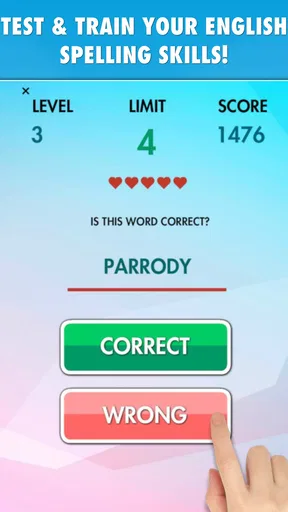
The game presents spelling exercises in a quiz-style format, with challenges that require you to recognize the correct spelling or complete a word. Difficulty may increase as you progress, making the experience suitable for both casual practice and more focused learning. Before downloading, users should check the current store description because available modes, word categories, scoring rules, and progression features can vary between versions.
Is Spelling Challenge PRO suitable for children and students?
Spelling Challenge PRO can be appropriate for children and students who are learning English spelling, particularly when they enjoy short, game-based practice sessions. However, the ideal age range depends on the vocabulary difficulty and the app’s current content. Parents and teachers should review the store rating, privacy information, advertisements, and any in-app purchase details before allowing younger users to play independently.
Does Spelling Challenge PRO work offline?
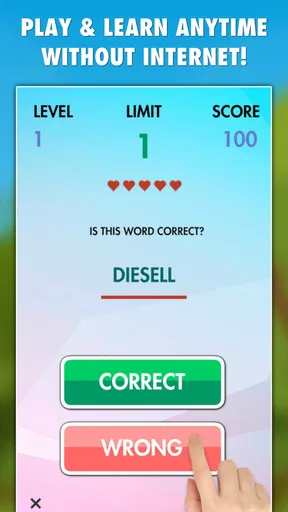
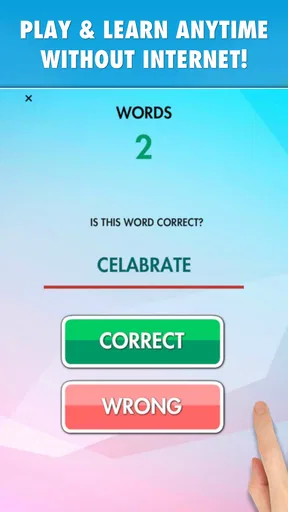
Some spelling games allow users to practice without a constant internet connection, while others require online access for advertisements, account features, updates, or additional content. Spelling Challenge PRO’s offline behavior may depend on the installed version and device. It is best to test the main challenges after installation or consult the latest Google Play or App Store listing if offline access is important to you.
Is Spelling Challenge PRO free to download, and does it contain ads or purchases?
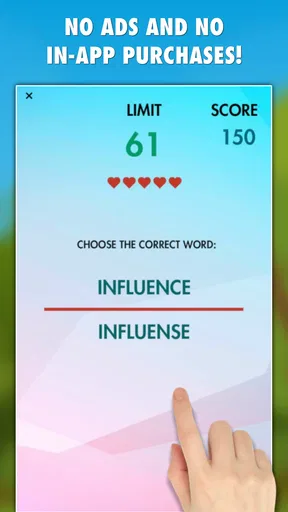
The availability and pricing of Spelling Challenge PRO can differ by platform, region, and edition. A version labeled PRO may include expanded content or reduced advertising, but this should not be assumed without checking the current store page. Before downloading, review the listed price, optional purchases, subscription terms, advertisements, permissions, and refund policies so there are no surprises during use.


